Pick Appscreensii if…
- Your team doesn't all use Macs
- You work together in real time
- You ship seriously to Google Play too
- You'd rather not install anything
ButterKit alternative
ButterKit is a polished native Mac app with direct upload to App Store Connect. Appscreensii runs in a browser on any computer, with people editing together and full Google Play sets.
Runs in your browser on a computer · No card until you export
In short
Appscreensii is a ButterKit alternative that runs in the browser. ButterKit is a native Mac app for macOS 26 and later, with real 3D frames, translation into 50 App Store languages, 18 of them on-device, and direct upload to App Store Connect. Appscreensii runs on any computer, adds live co-editing and full Google Play sets, and translates into 84 languages, but has no direct upload. If you work alone on a Mac and ship to Apple, ButterKit is a great fit.
Why people switch
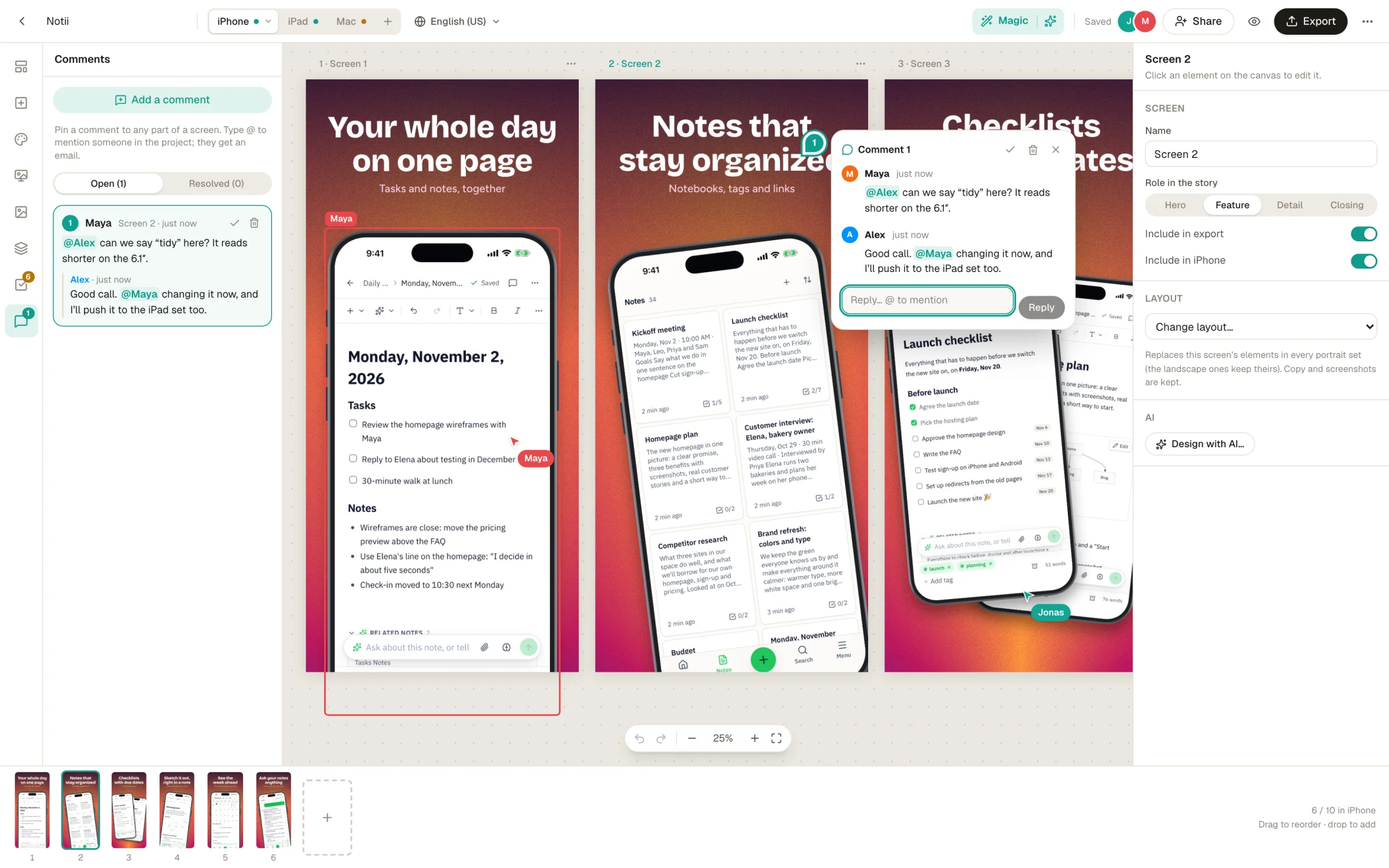
Invite people as editors or viewers. See each other's cursors and selections, pin comments to anything on a screen, and @mention people, who get an email.
Android phones, tablets and the feature graphic, in the same project as your iPhone set.
Magic reads your captures, plans a story, writes the headlines and draws four designs with your real screens. Everything stays editable.
Translate captions and the text in your captures into 84 languages, review them in a grid, and override any one language. How it works.
Side by side
| Feature | Appscreensii | ButterKit |
|---|---|---|
| Runs in | Browser, on a computer | Native Mac app, macOS 26 or later |
| Device frames | 19 device frames, 5 styles, 4 finishes, real 3D | Real 3D device frames |
| AI | Reads your screens, writes the story and captions, offers four designs | Agents can design and localize through its MCP server |
| Languages | 84, including captions and text inside screenshots | 50 App Store languages with your own API key, 18 on-device |
| Google Play | Phones, tablets and the feature graphic | Some Android support |
| Working together | Live cursors and selections, roles, comments with @mentions | Not stated |
| Upload to the stores | No: a ZIP or folder, with fastlane layouts | Direct upload to App Store Connect |
| Automation | fastlane layouts | MCP server, fastlane folder linking |
| Price to start | Designing costs nothing. Exporting starts a 7-day free trial, then $12 a month, or $10 a month billed annually. See pricing | Free with watermarked exports; paid monthly, yearly or lifetime |
Compared from each product's own public pages on November 4, 2026; features and prices change, so check before you decide. "Not stated" means we didn't find it on those pages, not that the product can't do it. Product names are trademarks of their owners. Appscreensii isn't affiliated with or endorsed by them.
Which to pick
Questions
No. It runs in a current desktop browser on any computer.
No. Projects are stored in your account, so you need a connection.
Not directly. You get a ZIP or a folder with a guide to where each file goes, and it can lay the files out for fastlane deliver and supply, which do the upload.
Designing costs nothing. Exporting starts a 7-day free trial, with a card, then it's $12 a month, or $10 a month billed annually. Cancel before the trial ends and you pay nothing. A project owner's plan covers the people they invite. See pricing.
Keep reading
Drop in your screenshots and see them in every template, right now.
Get started